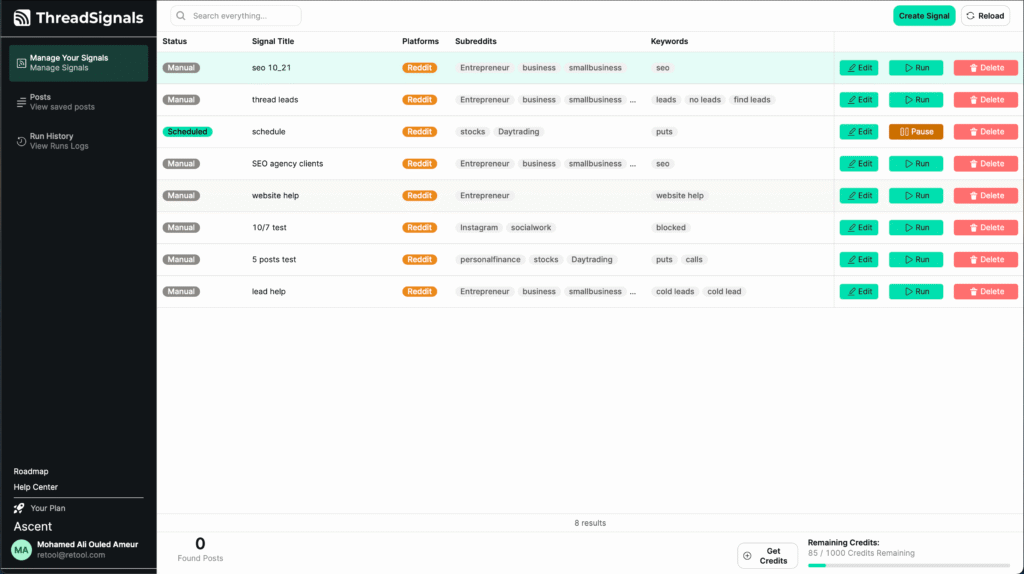
Once you’ve signed in to ThreadSignals, you’ll land on your main dashboard — the central hub for creating Signals, viewing collected posts, checking your run history, and managing your account.
Everything you need is organized in a clean, left-hand sidebar for easy navigation.
1. Side Menu Overview
Manage Your Signals
This is where you’ll see all the Signals you’ve created. Each Signal tracks specific keywords you’ve chosen, helping you discover posts that match your target audience.
At the top right of this page, you’ll find the “Create Signal” button — use it anytime to add a new Signal. (You can learn more about Signals in the “Managing Your Signals” category.)
Posts
This tab contains every post ThreadSignals has collected from your Signals.
You can view, sort, or filter results here to quickly identify promising leads.
(Detailed guides are available in the “Posts” category.)
Run History
This section logs every time your Signals have been executed — whether manual or scheduled.
You’ll be able to review results, status, and timestamps for each run.
(For details, see the “Run History” category.)
2. Dashboard Overview
Credits and Plan Information
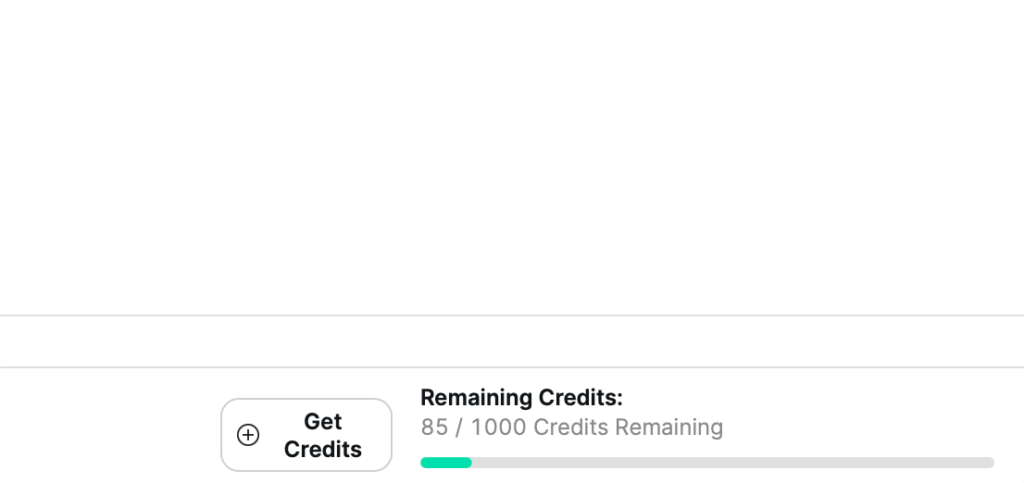
At the bottom right, you’ll see your credit balance, showing how many credits your plan includes and how many remain.
Next to it is a “Get Credits” button that allows you to purchase additional credits anytime.
Profile and Account Settings
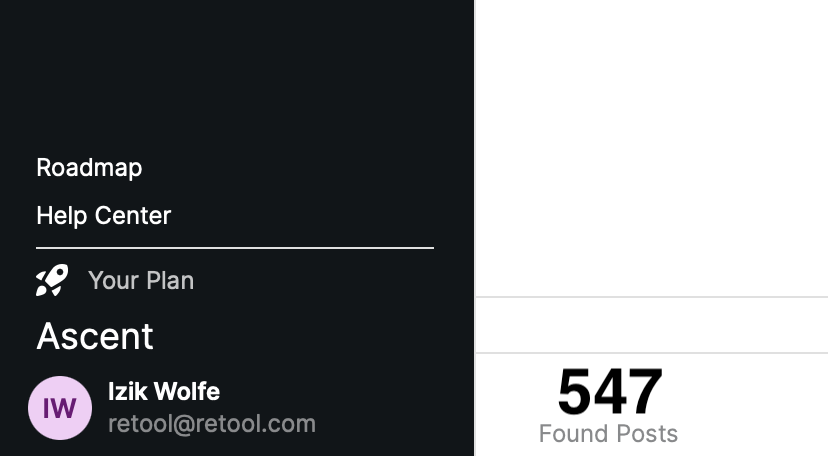
At the bottom left, you’ll find your profile area.
It displays your name, current plan, and a menu to access billing and account settings. Clicking your profile opens a menu where you can:
View or change your plan
Update billing details
Edit your account settings
3. Help Center and Roadmap
Help Center
Located just above your profile, the Help Center brings you here — a complete guide to understanding and getting the most out of ThreadSignals.
Roadmap
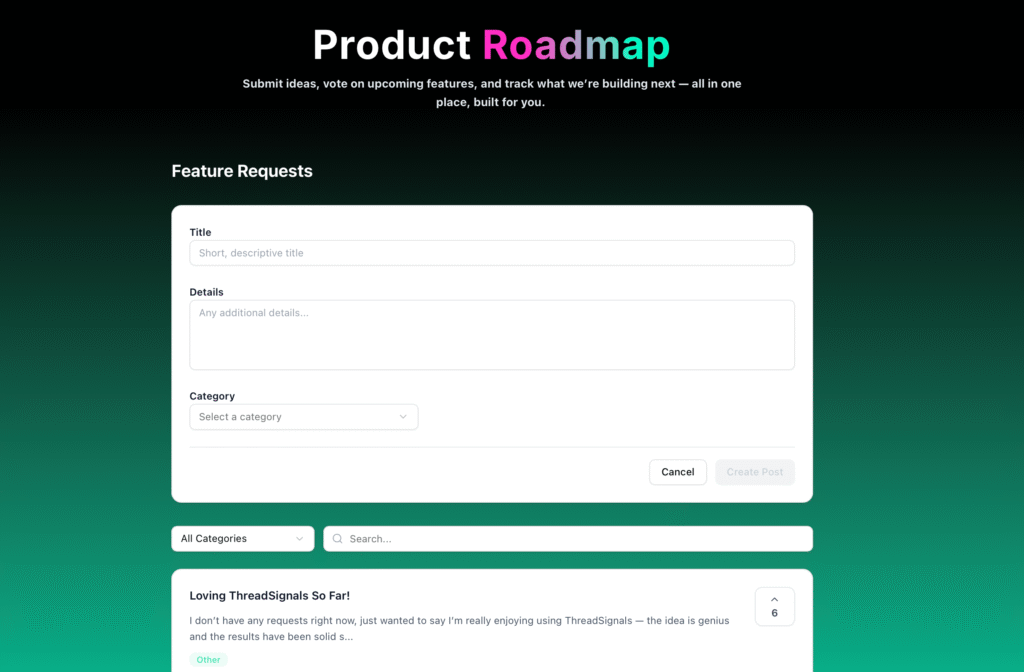
Above the Help Center, you’ll find the Roadmap tab. Here, users can:
View upcoming features
Submit new feature requests
Upvote ideas
Report common bugs or issues
This is your direct way to help shape the future of ThreadSignals.