You can update your payment details for your ThreadSignals subscription anytime through your Stripe billing portal.
Whether you’ve received a new card, changed banks, or want to use a different payment method, the process only takes a minute and ensures uninterrupted access to your plan.
1. Access Your Billing Portal
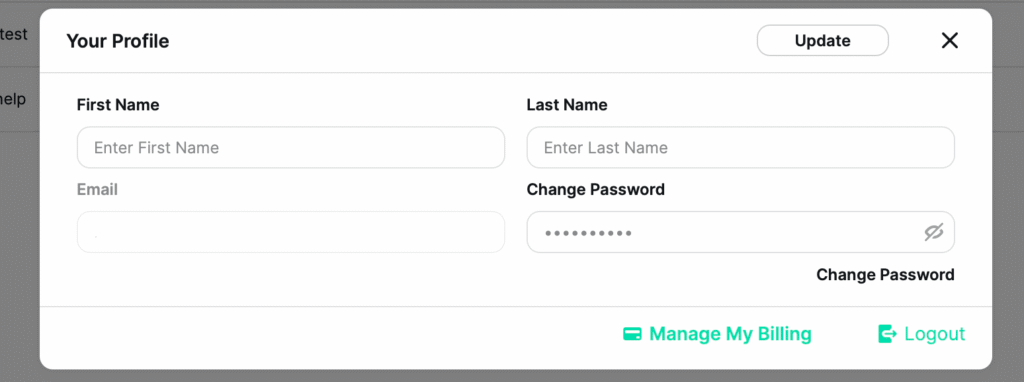
Click your profile picture in the bottom-left corner of your dashboard.
In the Account Settings popup, scroll to the bottom and click “Manage My Billing.”
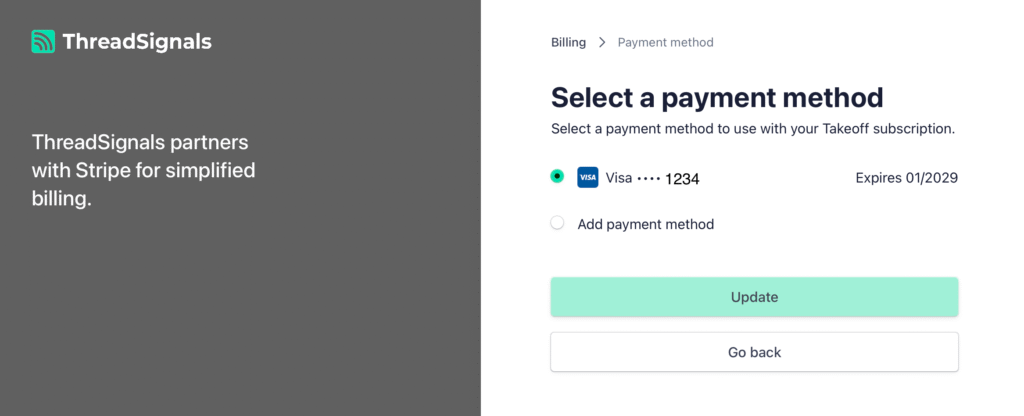
This will open your Stripe billing portal in a new tab, where all your payment and subscription details are securely managed.
2. Update Your Payment Method
Once inside Stripe:
Navigate to the Payment Methods section.
Click “Add Payment Method” to enter your new card or banking details.
If you want this to be your default payment option, click “Set as Default.”
You can also delete old or expired cards from this same page.
All changes are saved automatically, and your next billing cycle will use the new payment method.
3. Important Notes
Security: ThreadSignals never stores your payment data directly—everything is handled securely through Stripe.
Immediate Effect: Any changes you make take effect immediately for your next renewal or new purchase.
Failed Payments: If a payment fails due to an expired card, Stripe will automatically retry the charge. You’ll receive an email reminder before any service interruption.
Pro Tip
If you’ve recently changed cards or banks, update your payment method right away to avoid losing access to your Signals or scheduled runs when your next billing cycle renews.