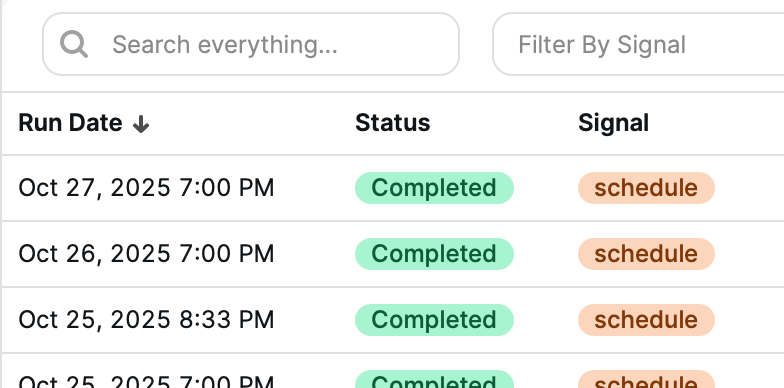
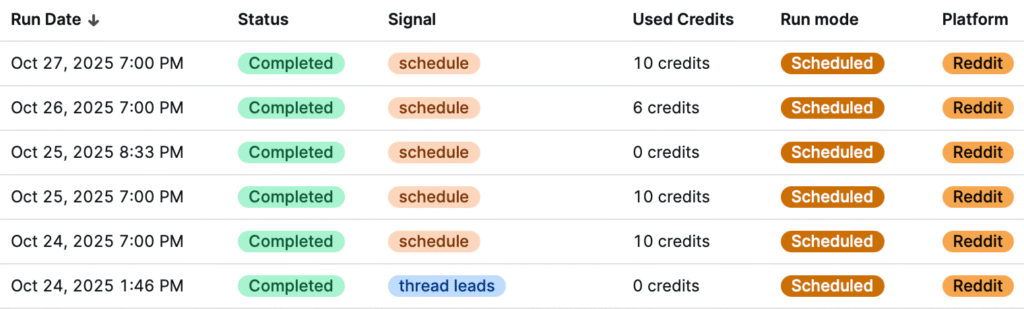
Your Run History includes built-in sorting tools that make it easy to analyze performance and find specific runs. By sorting columns, you can quickly identify your most recent activity, highest credit usage, or which Signals have been most active.
Sorting by Columns
Each column in the Run History table can be clicked to reorder your results. Clicking a column header once sorts the data in ascending order, and clicking again sorts it in descending order.
You can sort by:
Run Date – View your most recent or oldest runs first.
Status – Group completed runs together or find failed runs quickly.
Signal – Organize your history alphabetically by Signal name.
Used Credits – See which runs consumed the most (or fewest) credits.
Run Mode – Separate manual and scheduled runs to review how each performs.
Platform – Useful when multiple sources become available beyond Reddit.
Using Sorting for Analysis
Sorting helps you understand your Signals’ performance patterns at a glance. For example:
Sorting by Used Credits shows which Signals are consistently retrieving the most posts.
Sorting by Status helps you identify any failed runs that may need attention.
Sorting by Signal is handy when reviewing a specific campaign’s activity over time.
Pro Tip
Combine sorting with the search bar at the top of the Run History page to quickly find specific Signals and review their complete run history in seconds.